Practical bilingual reading
How to Translate a PDF With Tables Without Turning It Into a Text Dump
What to check before translating a table-heavy PDF, why rows and labels matter, and how to keep a bilingual result usable for comparison.
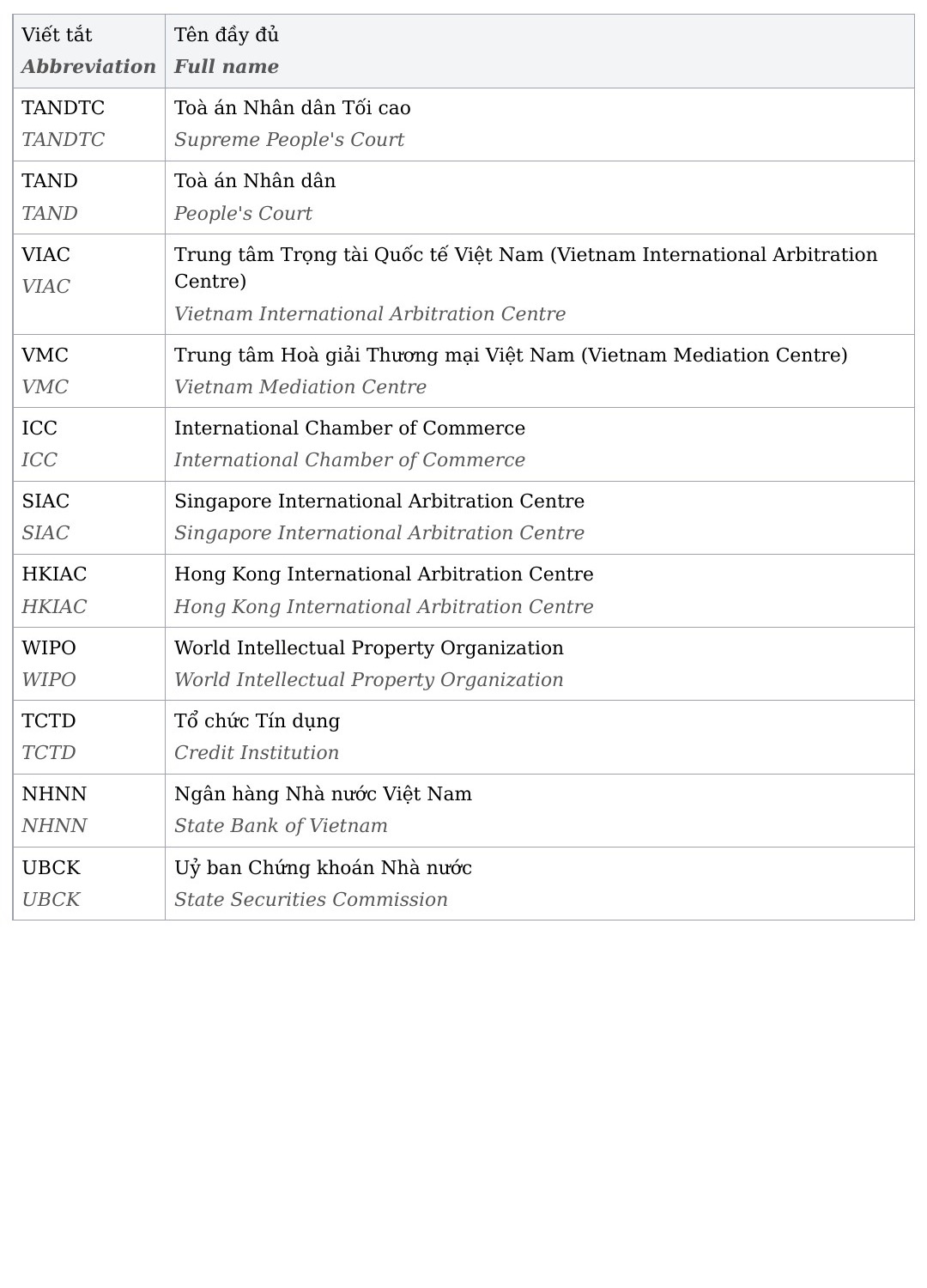
A table is not just a collection of sentences
A paragraph can survive as a long block of text. A table usually cannot. Its meaning comes from things being next to each other: a heading above a column, a label beside a value, and a note attached to one particular row. Flatten those relationships and readers have to rebuild the logic themselves.
That is why table-heavy PDFs need a different pre-flight check. Do not ask only whether text is selectable. Ask whether a cell's label and value can be copied without pulling in half the page, and whether the copied order still makes sense in a note.
Keep comparison local
In the anonymized production example above, the table material remains visibly grouped. A reader can stay on one row and compare the Vietnamese label with the English translation instead of searching through a separate appendix. That local comparison is what makes a bilingual document practical for review work.
The same principle applies to budgets, product specifications, research summaries, contract schedules, and glossary pages. The design need not be identical to the original PDF, but it needs to preserve the relationship that gives each cell meaning.
Test the hardest table, not the easiest page
Find the table most likely to fail: one with wrapped headings, merged cells, footnotes, or several short labels. A simple two-column table may look fine while a dense comparison table breaks the reading order. Previewing the difficult case gives a realistic answer.
If the source table is an image, OCR may recognise words but lose cell boundaries. A bilingual reading copy can still be useful for nearby prose, but you should review that table manually or find a digital source with real text cells.
Use a table reading checklist
Keep the original beside the preview. Check a heading row, a normal data row, a row with numbers or dates, and any note below the table. Numbers, legal references, and units deserve a separate glance because they can look right even after being detached from the correct label.
For a text-based PDF, BilingualText can create a bilingual reading copy that keeps labels and translations close. It is a useful alternative to rebuilding tables in a spreadsheet when your goal is to read and compare, not create an editable data file.
What a reader should be able to do with the result
After translation, point to any number on the page and ask three questions: what is it measuring, which date or unit belongs to it, and what note qualifies it? If you cannot answer from the bilingual page itself, the table has lost too much structure for comfortable review.
This test is more useful than asking whether every cell survived. Some tables can be sensibly reorganised into labelled blocks for reading. Others, such as dense financial schedules or scientific matrices, may need their original visual grid preserved for reliable use. The right outcome depends on what the reader needs to compare.
Watch for rows that include both prose and numbers. A translated row can become longer than its source and push the next value away. That is why a tidy-looking table is not enough: read one whole row aloud or trace it with a finger to confirm that labels, amounts, and notes remain together.
If the table is central to a decision, treat the bilingual output as a reading aid and keep the original at hand. It can make unfamiliar labels easier to understand, but it should not quietly become the only record of a value you must rely on.